
Blog Outline
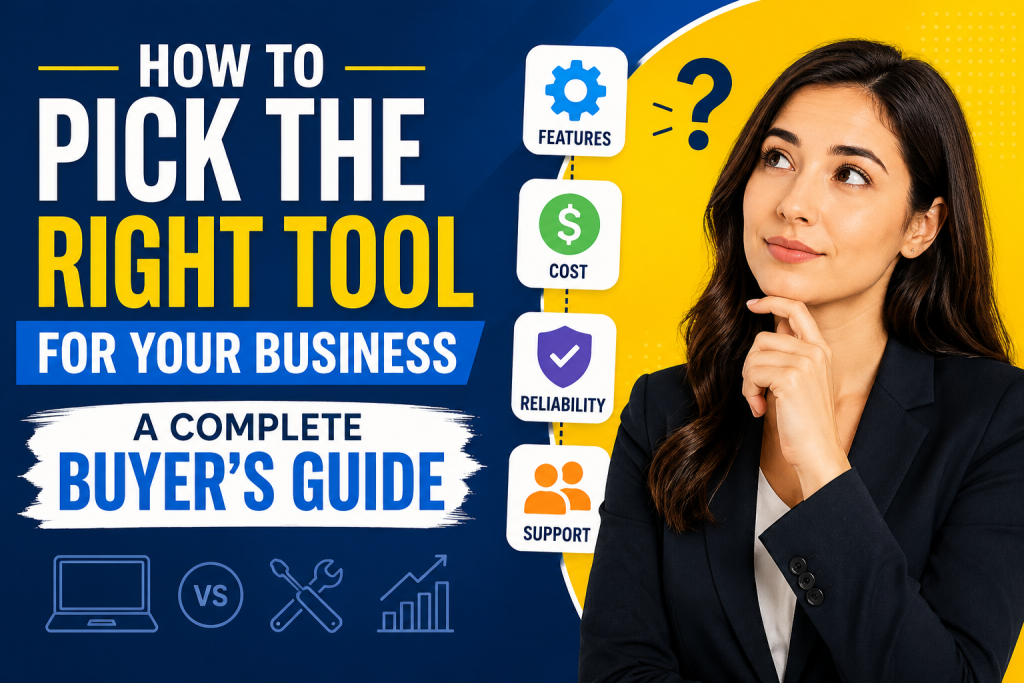
H1: How to Pick the Right Tool for Your Business
H2: Why Most Businesses Choose the Wrong Tools (And Waste Money)
H2: The 6-Step Framework to Pick the Perfect Tool for Your Business
H3: Step 1: Define Your Exact Problem Before Looking at Tools
H3: Step 2: Identify Your Must-Have Features (Not Nice-to-Haves)
H3: Step 3: Calculate Total Cost of Ownership (Not Just Monthly Price)
H3: Step 4: Test with Real Data Before Committing
H3: Step 5: Check Integration Capabilities with Your Current Stack
H3: Step 6: Evaluate Support, Training, and Long-Term Viability
H2: 5 Common Mistakes That Lead to Bad Tool Choices
H2: Tool Selection Checklist: 15 Questions to Ask Before Buying
H2: Real Examples: Businesses That Picked the Right Tool (And the Wrong One)
H2: Final Verdict: Don’t Rush—Your Tool Choice Matters More Than You Think
Why Most Businesses Choose the Wrong Tools (And Waste Money)
You’ve probably been there: you search for a tool, find one with great reviews, sign up, and then… it doesn’t actually solve your problem. Maybe it’s too complicated. Maybe it lacks a feature you need. Or maybe it just doesn’t fit your workflow.
The result? You’re stuck paying for something useless, or worse, you waste weeks switching to a new tool later.
The result? You’re stuck paying for something useless, or worse, you waste weeks switching to a new tool later.
because they pick tools based on price, flashy features, or brand name instead of what actually fits their needs. You’ve seen it: the marketing team buys a CRM that sales hates using. The startup picks enterprise software that’s too complex for 5 people. The freelancer chooses a tool that looks great but can’t scale when they grow.
Here’s the truth: the “best” tool isn’t the one with the most features or the highest rating. It’s the one that solves your specific problem, fits your team’s skills, and works within your budget long-term.
I’ve spent 10 years helping businesses choose tools that actually work, and I’ve seen the pattern: companies that use a structured approach to tool selection save 40% more money and see 3x better adoption rates than those who just pick the first option they find.
Let’s break down exactly how to pick the right tool for your business—so you never waste money again.
Also check out our yout ube channel
The 6-Step Framework to Pick the Perfect Tool for Your Business

Step 1: Define Your Exact Problem Before Looking at Tools
Most people skip this step. They start searching for tools immediately without knowing what problem they’re solving. This is why they end up with the wrong choice
Before you Google “best CRM for small business,” ask yourself:
⦁ What specific task am I trying to automate or improve?
⦁ How much time does this problem cost me per week?
⦁ Who in my team is affected by this problem?
⦁ What’s the ideal outcome if this problem is solved?
Example:
Bad: “I need a better email tool.”
Good: “I’m sending 200 manual emails per week to clients. This takes 4 hours and I miss follow-ups. I need a tool that automates email sequences and tracks who opens them.”
The second example is specific. It tells you exactly what features you need (automation, open tracking) and helps you compare tools objectively.
Action: Write down your problem in one sentence before searching for tools.
Step 2: Identify Your Must-Have Features (Not Nice-to-Haves)
Businesses love checking every feature box. They find a tool with 100 features and think it’s perfect. But 80% of those features are useless for your bussines
Instead, focus on 3–5 must-have features that solve your exact problem. Everything else is optional.
Create a feature list like this:
| Feature Type | Example | Why It Matters |
| Must-Have | Automated email sequences | Solves my core problem |
| Must-Have | Open/click tracking | Measures success |
| Must-Have | Mobile app | I work from phone |
| Nice-to-Have | AI writing assistant | Cool but not essential |
| Nice-to-Have | 500+ integrations | I only need 5 |
| Ignore | Enterprise security features | I have 5 employees |
How to identify must-haves:
⦁ List every feature the tool offers
⦁ Ask: “If this tool didn’t have this feature, would I still solve my problem?”
⦁ If yes → Nice-to-have. If no → Must-have
⦁ Keep only 3–5 must-haves
Why this works: You’ll quickly eliminate tools that don’t have your core features. You won’t waste time comparing tools based on fluff features.
Step 3: Calculate Total Cost of Ownership (Not Just Monthly Price)
The monthly price is not the real cost. Most businesses forget these hidden expenses:
Hidden costs to calculate:
| Cost Type | Example | Typical Amount |
| Setup fees | Onboarding, configuration | ₹5,000–₹50,000 |
| Training costs | Team training sessions | ₹10,000–₹100,000 |
| Integration fees | Connecting to other tools | ₹5,000–₹30,000 |
| Premium support | 24/7 support plan | +20–50% of monthly price |
| User limits | Adding more team members | ₹500–₹5,000 per user/month |
| Storage limits | Extra data storage | ₹2,000–₹20,000/year |
Real example:
Never buy a tool based on screenshots, demo videos, or sales pitches. Test it with your actual data before paying.
How to test properly:
⦁ Use the free trial (most tools offer 7–30 days)
⦁ Import your real data (not sample data from the tool)
⦁ Test your core workflow (do the exact tasks you’ll do daily)
⦁ Have your team try it (not just you)
⦁ Check for friction points (what’s confusing, slow, or broken?)
Test checklist:
⦁ Can I complete my main task in under 3 minutes?
⦁ Does the interface feel intuitive to my team?
⦁ Are there bugs or errors when I use real data?
⦁ Does it work on the devices my team uses (phone, tablet, laptop)?
⦁ Can I export my data if I leave later?
Red flags during testing:
⦁ Slow loading times (over 3 seconds)
⦁ Confusing navigation (can’t find basic features)
⦁ Limited free trial (can’t test core features)
⦁ No mobile app when you need one
⦁ Customer support doesn’t respond within 24 hours
If the trial doesn’t work, the paid version won’t work either. Don’t let sales pressure you into buying.
Step 5: Check Integration Capabilities with Your Current Stack
Your new tool shouldn’t live in isolation. It needs to work with your existing tools
Ask these questions before buying:
⦁ Does this tool integrate with [your current tools]?
⦁ Is the integration automatic (no manual work) or manual (requires copying data)?
⦁ Are there limitations on data sync (how often does it update)?
⦁ Do I need to pay extra for integrations?
⦁ What happens if the integration breaks?
Common integration needs:
⦁ CRM → Email marketing tool
⦁ Accounting software → Payment processor
⦁ Website → Analytics tool
⦁ Social media → Content management
⦁ Project management → Communication tool
Example:
You buy a CRM that costs ₹3,000/month.
But it doesn’t integrate with your email tool (₹2,000/month).
You now have to manually copy 500 emails per week between tools.
This takes 2 hours/week = ₹8,000/month in lost productivity.
Real cost: ₹3,000 + ₹8,000 = ₹11,000/month
A CRM that costs ₹4,500/month but integrates automatically saves you ₹6,500/month.
Action: Check integration list before buying. If your tools don’t connect, skip it.
Step 6: Evaluate Support, Training, and Long-Term Viability
A great tool is useless if you can’t get help when it breaks. Support quality matters more than features for most businesses.
Check these before buying:
| Cost Type | Example | Typical Amount |
| Setup fees | Onboarding, configuration | ₹5,000–₹50,000 |
| Training costs | Team training sessions | ₹10,000–₹100,000 |
| Integration fees | Connecting to other tools | ₹5,000–₹30,000 |
| Premium support | 24/7 support plan | +20–50% of monthly price |
| User limits | Adding more team members | ₹500–₹5,000 per user/month |
| Storage limits | Extra data storage | ₹2,000–₹20,000/year |
| Migration costs | Switching from old tool | ₹10,000–₹50,000 |
Test support before buying:
⦁ Send a test email to their support
⦁ Ask a question in their community forum
⦁ Check if they have live chat during your timezone
⦁ Read recent reviews (last 3 months, not 2 years ago)
Long-term viability:

⦁ Is the company growing or shrinking?
⦁ Do they have good funding (check Crunchbase, LinkedIn)?
⦁ Are customers leaving or staying?
⦁ Do they add new features regularly?
If support is bad, you’ll waste hours troubleshooting instead of working. This costs more than the tool price.
5 Common Mistakes That Lead to Bad Tool Choices
| Mistake | Why It’s Bad | How to Fix |
| Buying based on price alone | Cheap tools lack features you need | Compare total cost, not monthly price |
| Choosing the tool with most features | Too complex, low adoption | Focus on 3–5 must-haves only |
| Skipping the trial | You don’t know if it works | Test with real data for 14+ days |
| Ignoring integrations | Manual work kills productivity | Check integration list before buying |
| Not checking support quality | No help when things break | Test support before committing |
The biggest mistake is buying a tool for someone else’s needs. You see a tool that works for a 100-person company and think it’ll work for your 5-person startup. It won’t. Your needs are different.
Tool Selection Checklist: 15 Questions to Ask Before Buying
Before you click “Buy,” answer these 15 questions:
⦁ What exact problem am I solving? (Write 1 sentence)
⦁ Who in my team will use this tool? (Name + role)
⦁ What are my 3–5 must-have features? (List them)
⦁ What’s the total 12-month cost including hidden fees? (Calculate)
⦁ Does this integrate with my current tools? (Check list)
⦁ Can I test it with my real data? (Use trial)
⦁ How long does it take to complete my main task? (Test speed)
⦁ Is the interface intuitive for my team? (Have them try)
⦁ What’s the support response time? (Test email/chat)
⦁ Do they have training resources (videos, docs)? (Check website)
⦁ How long has the company been in business? (Check 3+ years)
⦁ What’s their customer rating on G2/Trustpilot? (Check 4.0+)
⦁ Can I export my data if I leave? (Check terms)
⦁ What happens if I need to upgrade later? (Check pricing)
⦁ Would I recommend this to a friend in my industry? (Be honest)
If you can’t answer 12+ of these, don’t buy yet. Do more research.
Choosing the right tool for your business starts with understanding your goals and daily workflow. The right tool for your business should solve real problems, improve productivity, and help your team work more efficiently without adding unnecessary complexity.
Before investing in any software, compare features, pricing, customer support, and scalability. Selecting the right tool for your business today can save money in the future and reduce the need to switch platforms as your company grows.
Many businesses make decisions based only on price, but affordability isn’t everything. The right tool for your business should also be reliable, easy to use, secure, and compatible with the other applications your team already uses.
As your business expands, your software needs will change. That’s why choosing the right tool for your business is a long-term investment. Look for a solution that offers regular updates, strong customer support, and the flexibility to grow with your company.
Real Examples: Businesses That Picked the Right Tool (And the Wrong One)
Example 1: Delhi E-commerce Store (Right Choice)
⦁ Problem: Managing 500+ orders/month manually
⦁ Tool chosen: Shopify (₹2,000/month)
⦁ Why it worked: Automated order tracking, integrates with payment gateway, mobile app for managing orders
⦁ Result: Saved 15 hours/week, 30% more orders processed
Example 2: Mumbai Consulting Firm (Wrong Choice)
⦁ Problem: Tracking client meetings and follow-ups
⦁ Tool chosen: Enterprise CRM (₹15,000/month)
⦁ Why it failed: Too complex for 8 people, required 2 weeks training, expensive support
⦁ Result: Switched to simpler tool (₹3,000/month) after 3 months, lost ₹45,000
Example 3: Bangalore Startup (Right Choice)
⦁ Problem: Team communication scattered across WhatsApp, email, Slack
⦁ Tool chosen: Microsoft Teams (free for 5 users)
⦁ Why it worked: Free, integrates with Office 365, everyone already uses it
⦁ Result: Saved ₹12,000/month, 40% faster communication
Example 4: Hyderabad Freelancer (Wrong Choice)
⦁ Problem: Tracking invoices and expenses
⦁ Tool chosen: Enterprise accounting software (₹8,000/month)
⦁ Why it failed: Too many features, confusing interface, no mobile app
⦁ Result: Switched to simpler app (₹500/month) after 1 month, wasted ₹8,000
Final Verdict: Don’t Rush—Your Tool Choice Matters More Than You Think
Choosing the wrong tool costs you time, money, and productivity for years. Choosing the right tool saves you money and makes your work 2–3x faster
Your action plan for picking the right tool:
⦁ Week 1: Define your exact problem + list 3–5 must-have features
⦁ Week 2: Research 5–7 tools, calculate total 12-month cost
⦁ Week 3: Test top 3 tools with real data for 14 days
⦁ Week 4: Check integrations, support quality, and long-term viability
⦁ Day 30: Buy the tool that passes all 15 checklist questions
Remember: The “best” tool isn’t the cheapest or the most featured. It’s the one that solves your problem, fits your team, and works within your budget long-term.
Don’t rush. Do the work. Your future self will thank you when you’re not stuck switching tools 6 months later.